How to access JoVE content using Vital Source LTI
Go to jove.instructure.com
1. Introduction
This video demonstrates how to access Jove content using the VitalSource integration
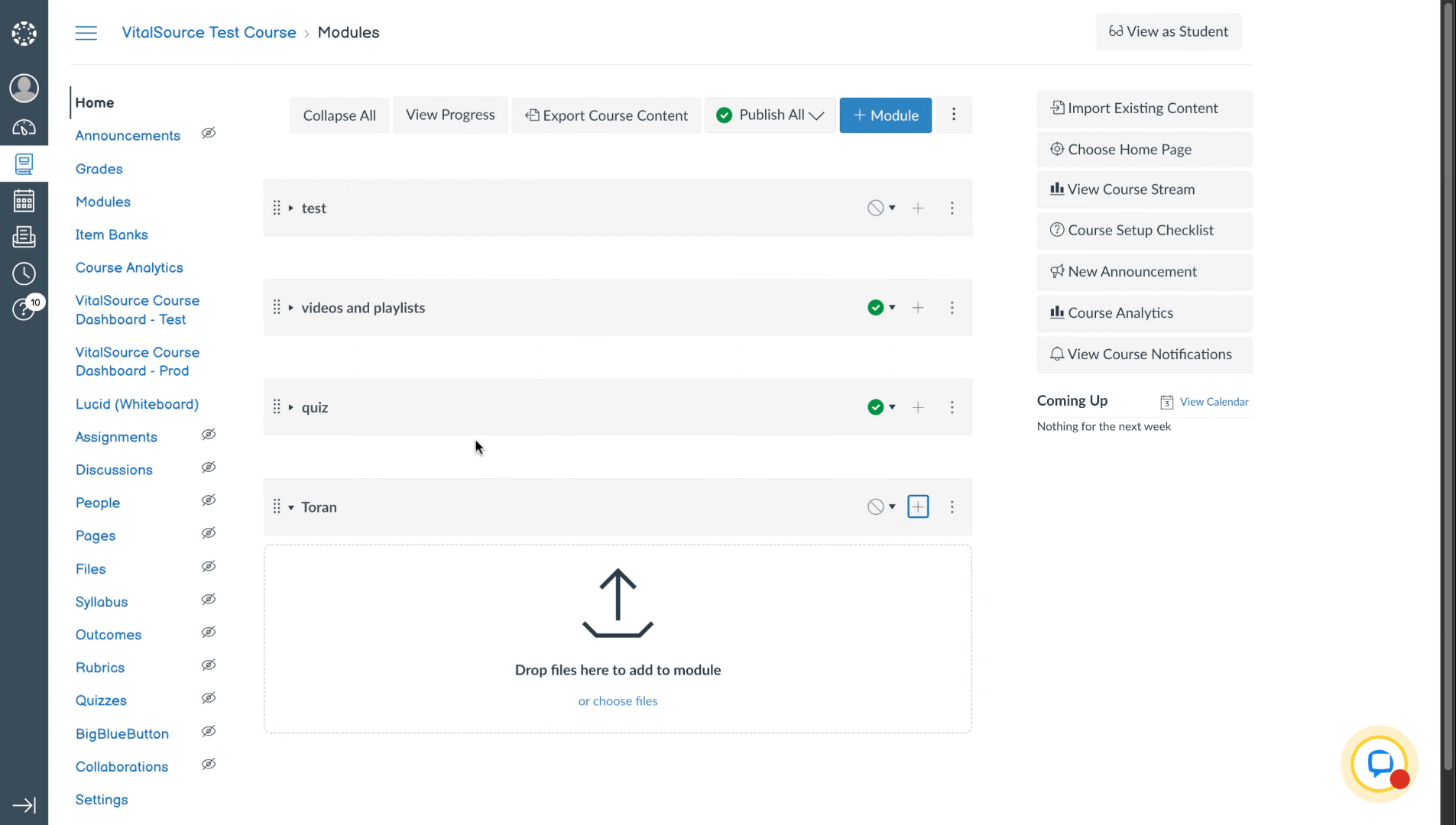
2. Open Course Module Options
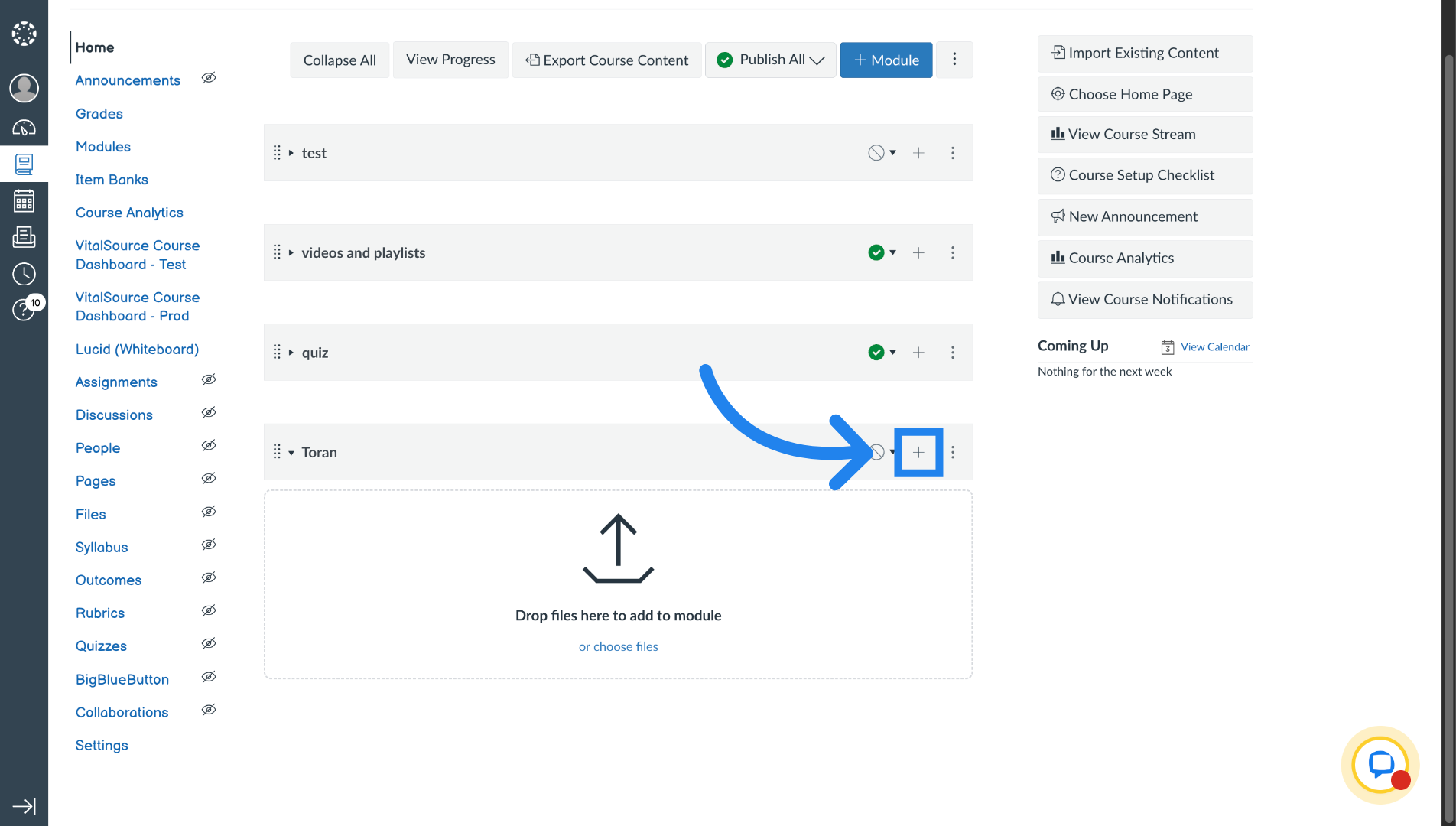
To access Jove using VitalSource, go to the course which has VitalSource integrated with it. Navigate to any of the modules and click on the plus sign.
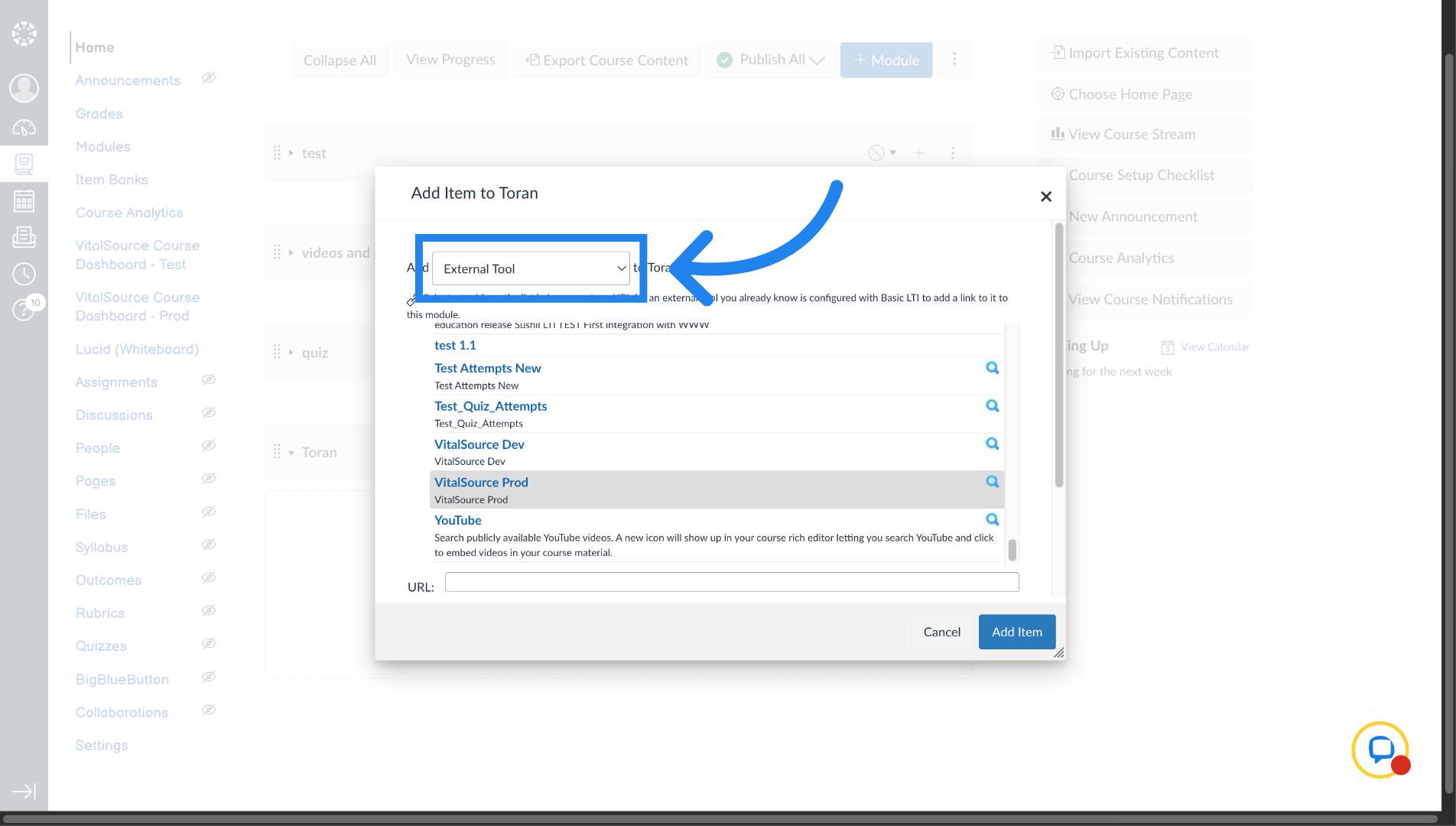
3. Select External Tool Option
Select "External Tool" here.
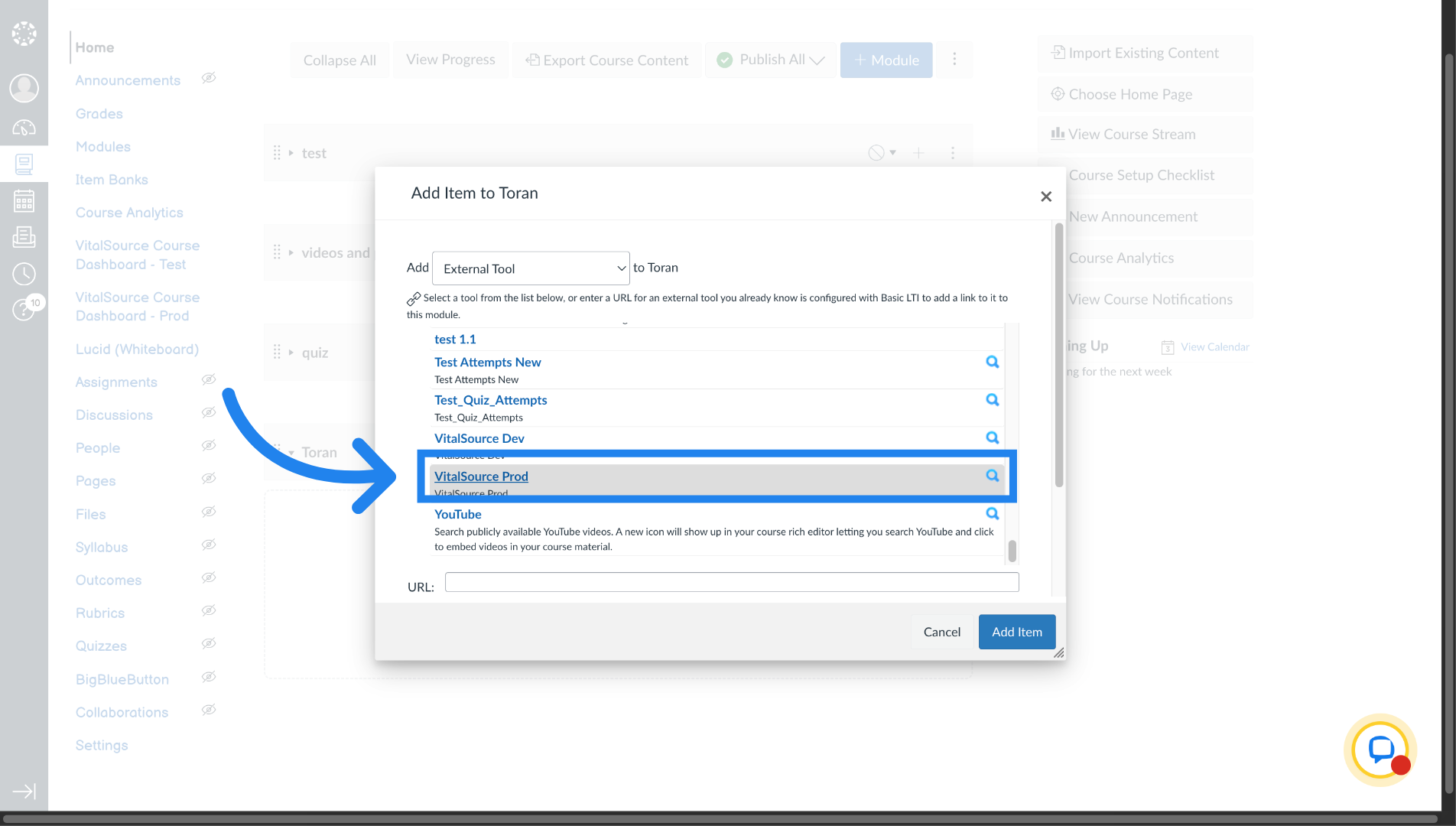
4. Launch VitalSource Production
Click on the Vital source link to launch VitalSource.
5. Open Publisher Tool
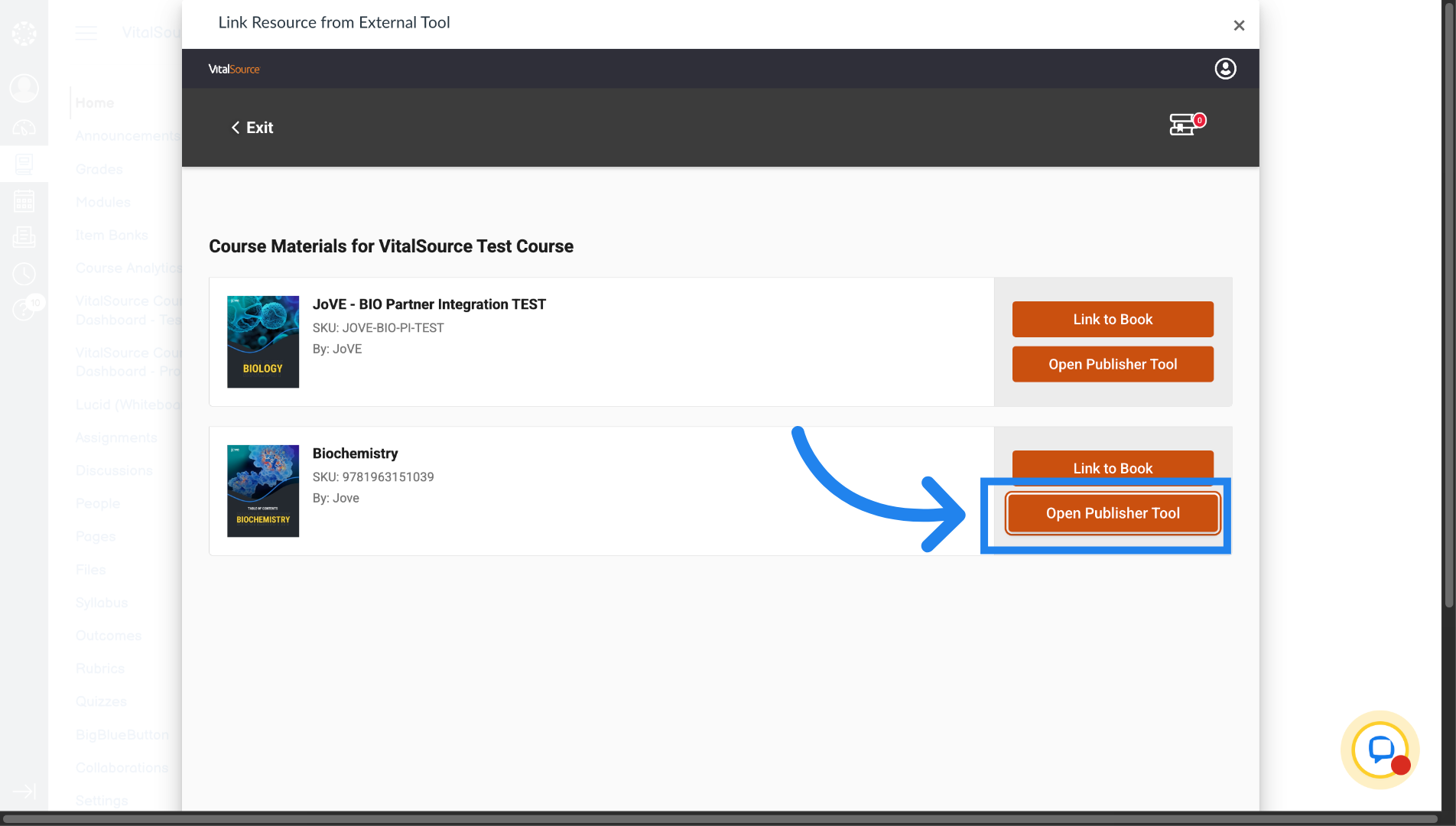
Launch JoVE by selecting the required resource package and clicking on "Open Publisher Tool" button against it.
6. Open JoVE Tool in New Tab
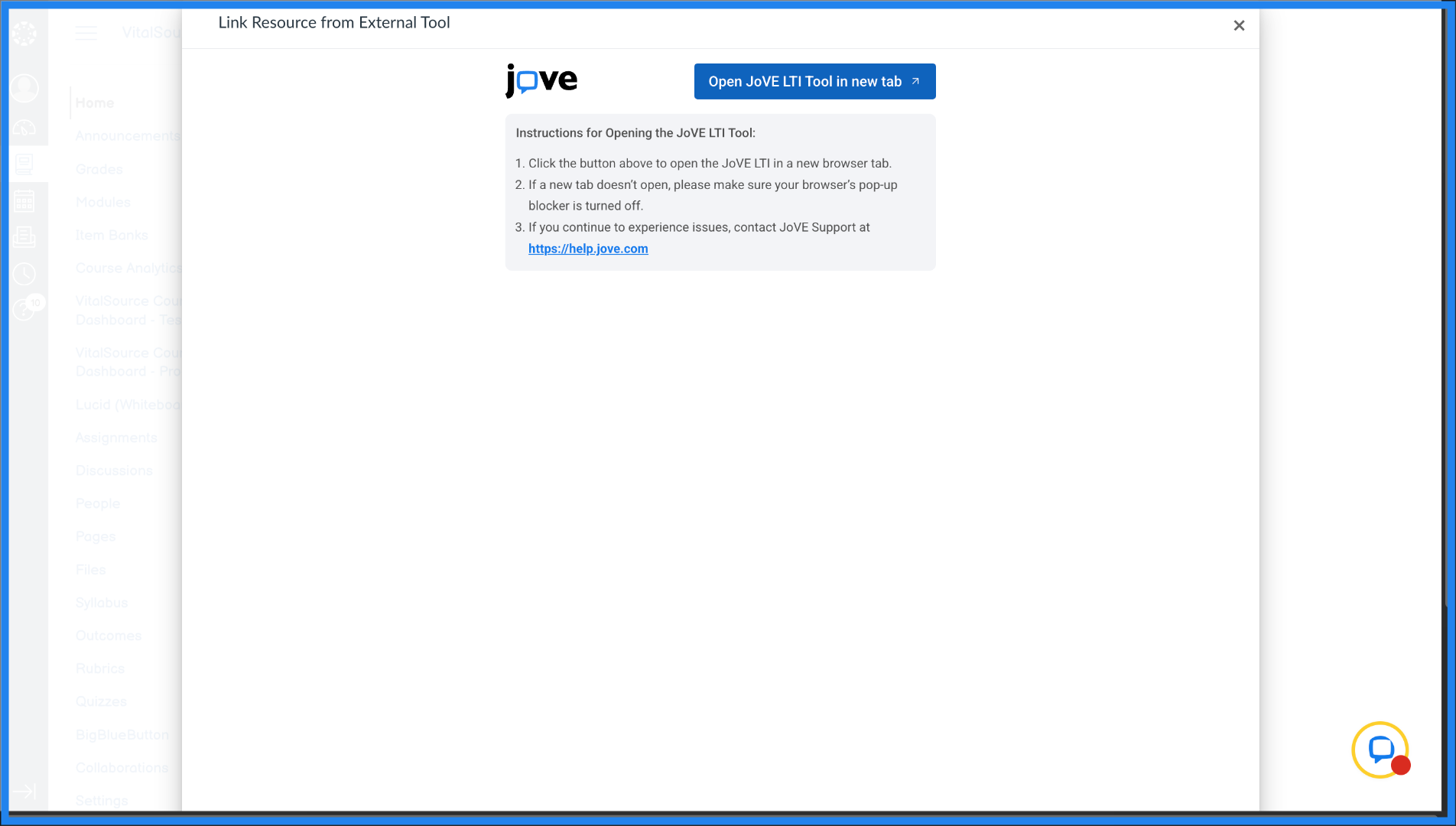
Click "Open JoVE LTI Tool in new tab" which will open the JoVE platform in a new browser tab.
7. Switch to JoVE Website
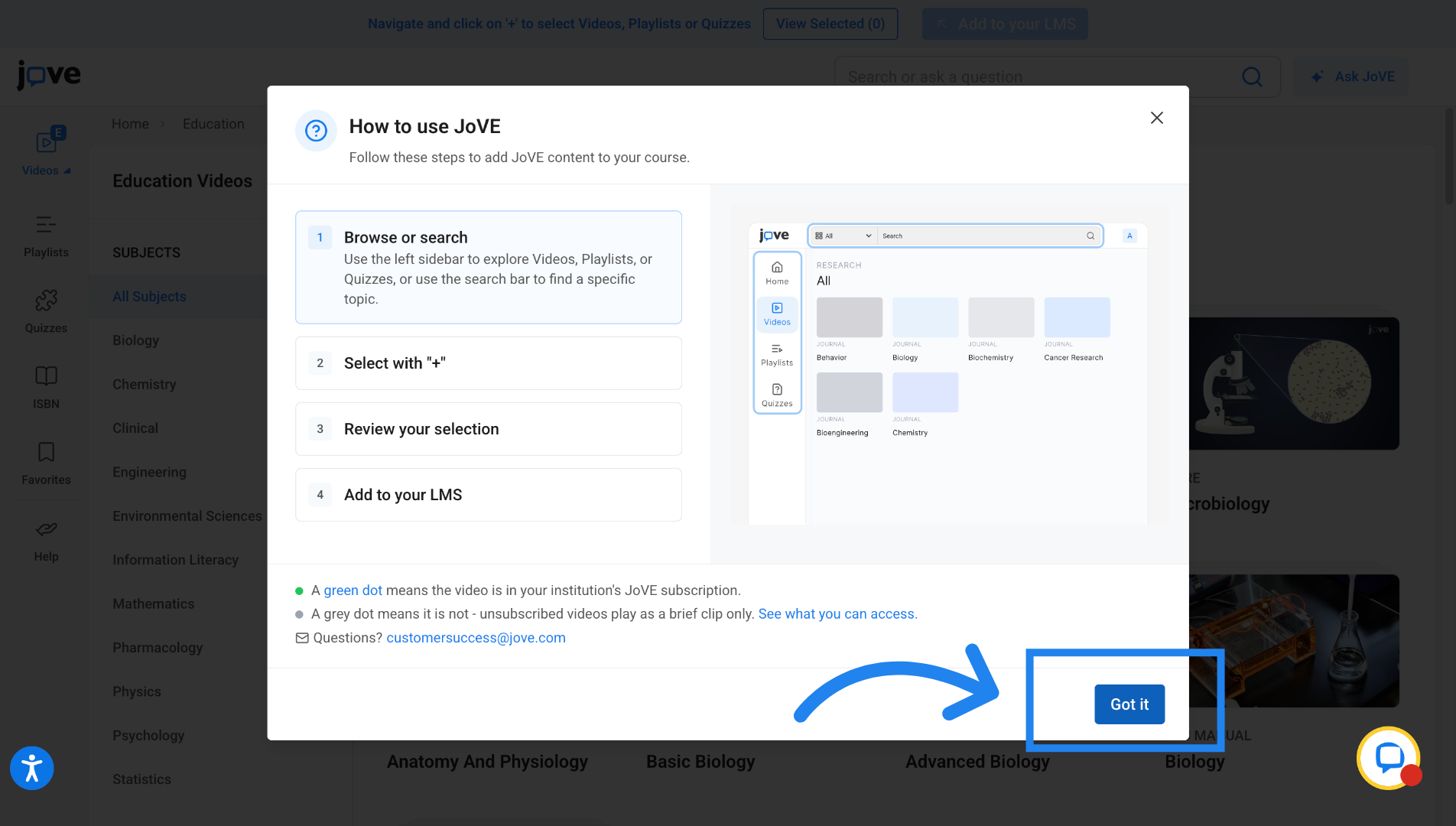
Click here to begin accessing JoVE content available through the integration.
Related to