How to Embed Chapters Into Brightspace
This article explains how to embed entire chapters into your learning management system (LMS).
Go to www.jove.com
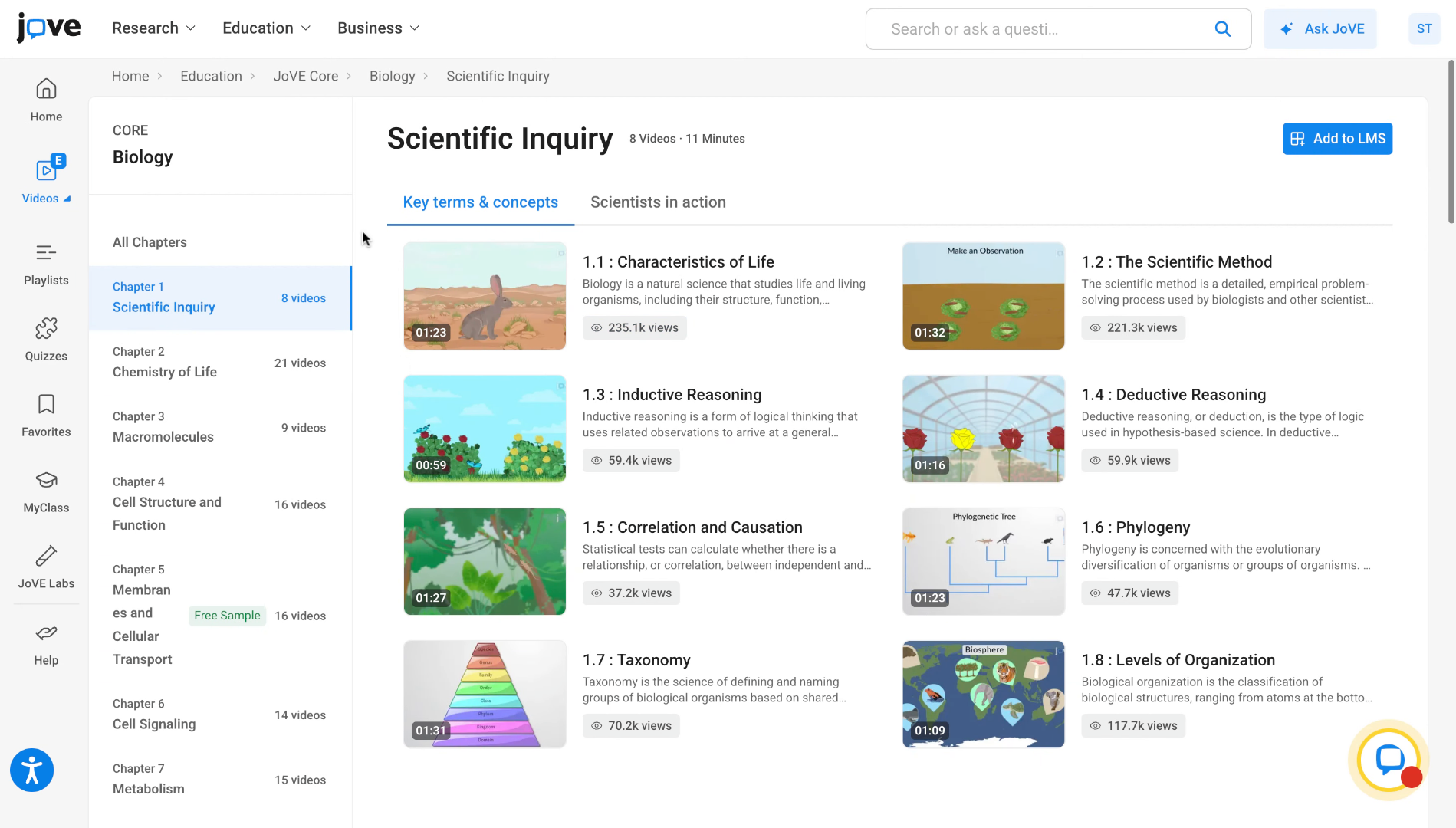
1. Introduction (1)
To do so. Go to the chapter that you want to embed.
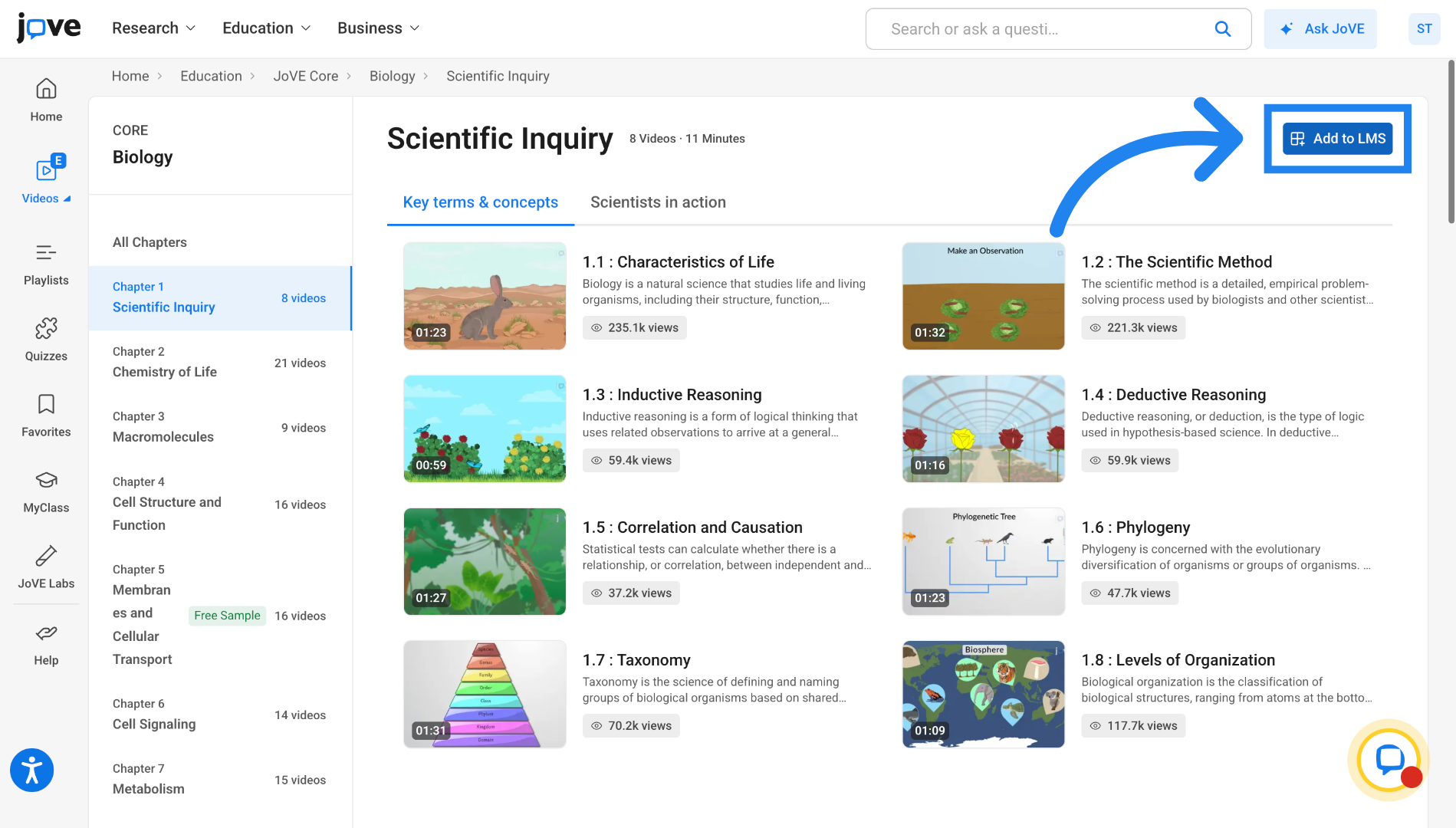
2. Access Add to LMS Button
Click on the Add to LMS button in the embed section.
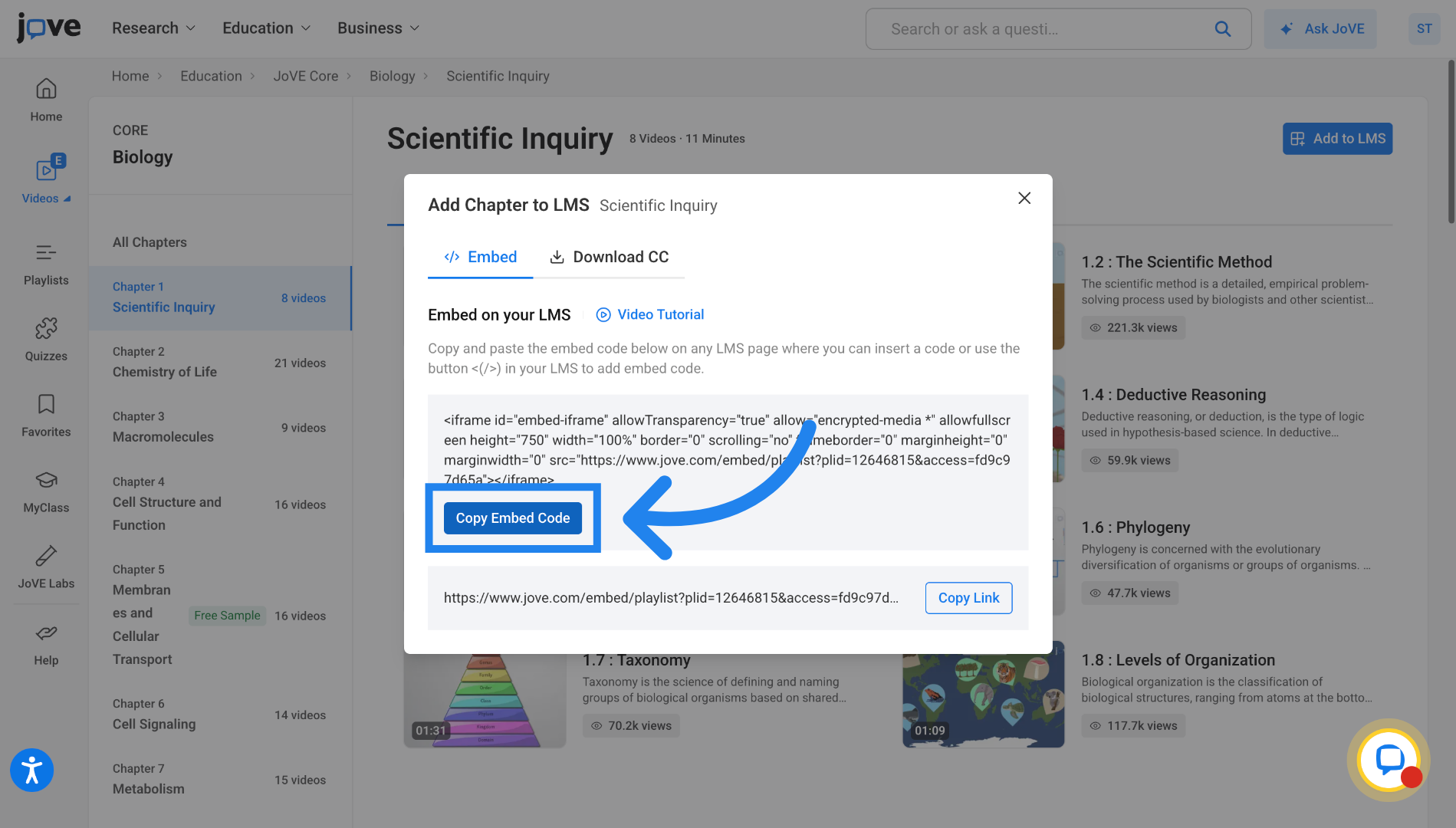
3. Copy Embed Code
In the embed tab, click on Copy Embed Code to copy the chapter embed code.
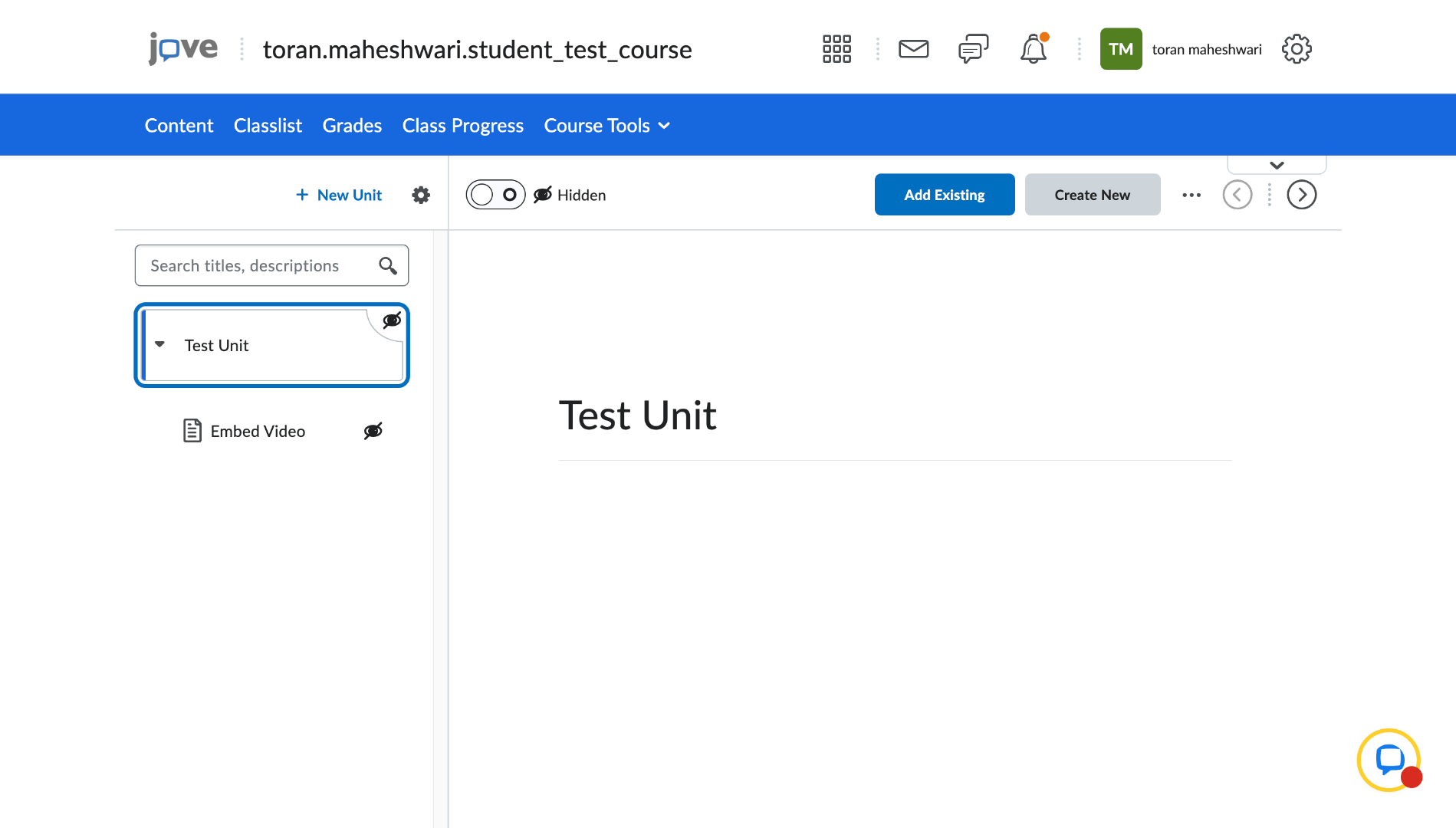
4. Switch to Brightspace
Now lets see how to embed this chapter into your brightspace course. Go to your brightspace course and
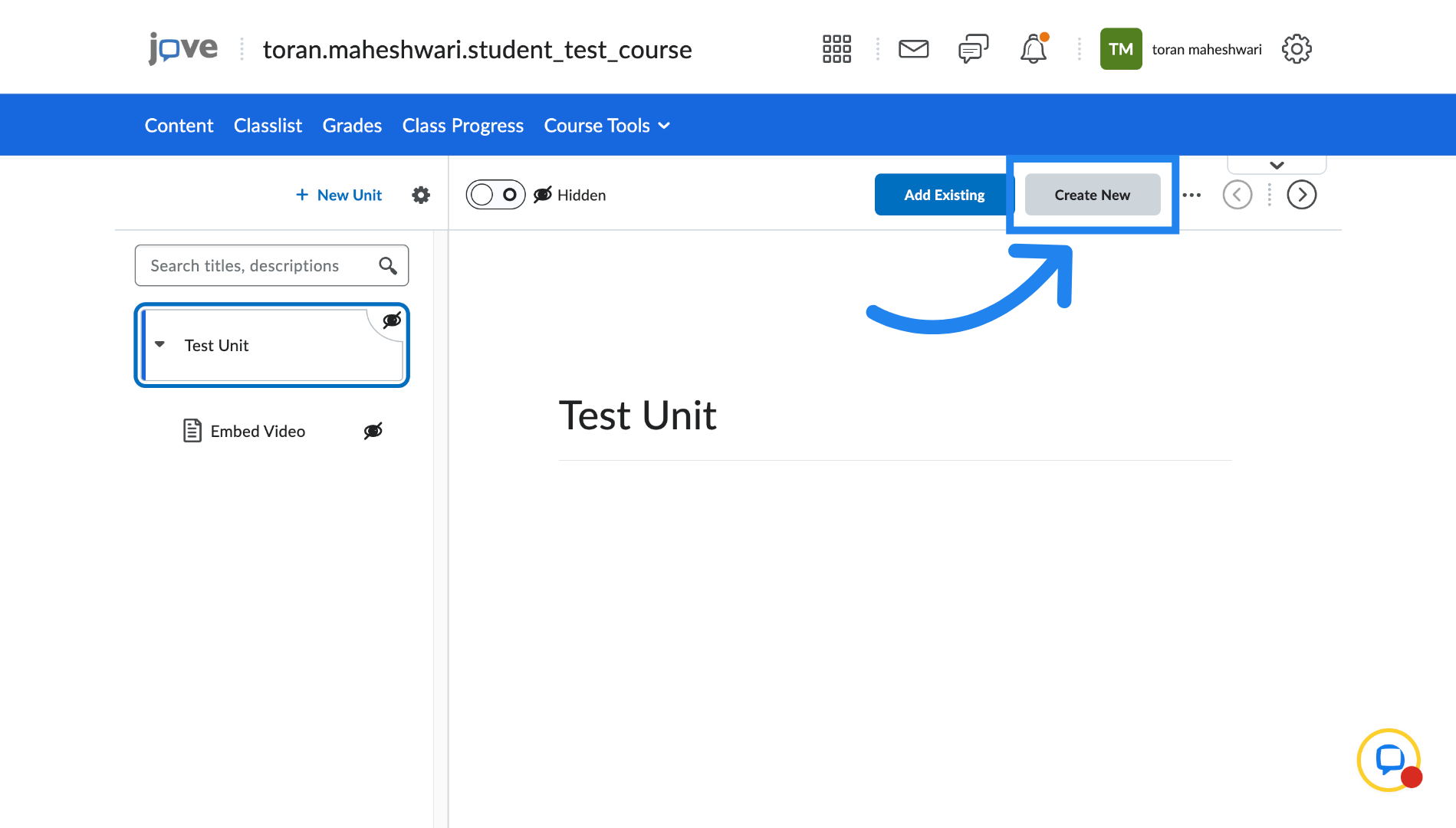
5. Create New Content
Click Create New to add new course content.
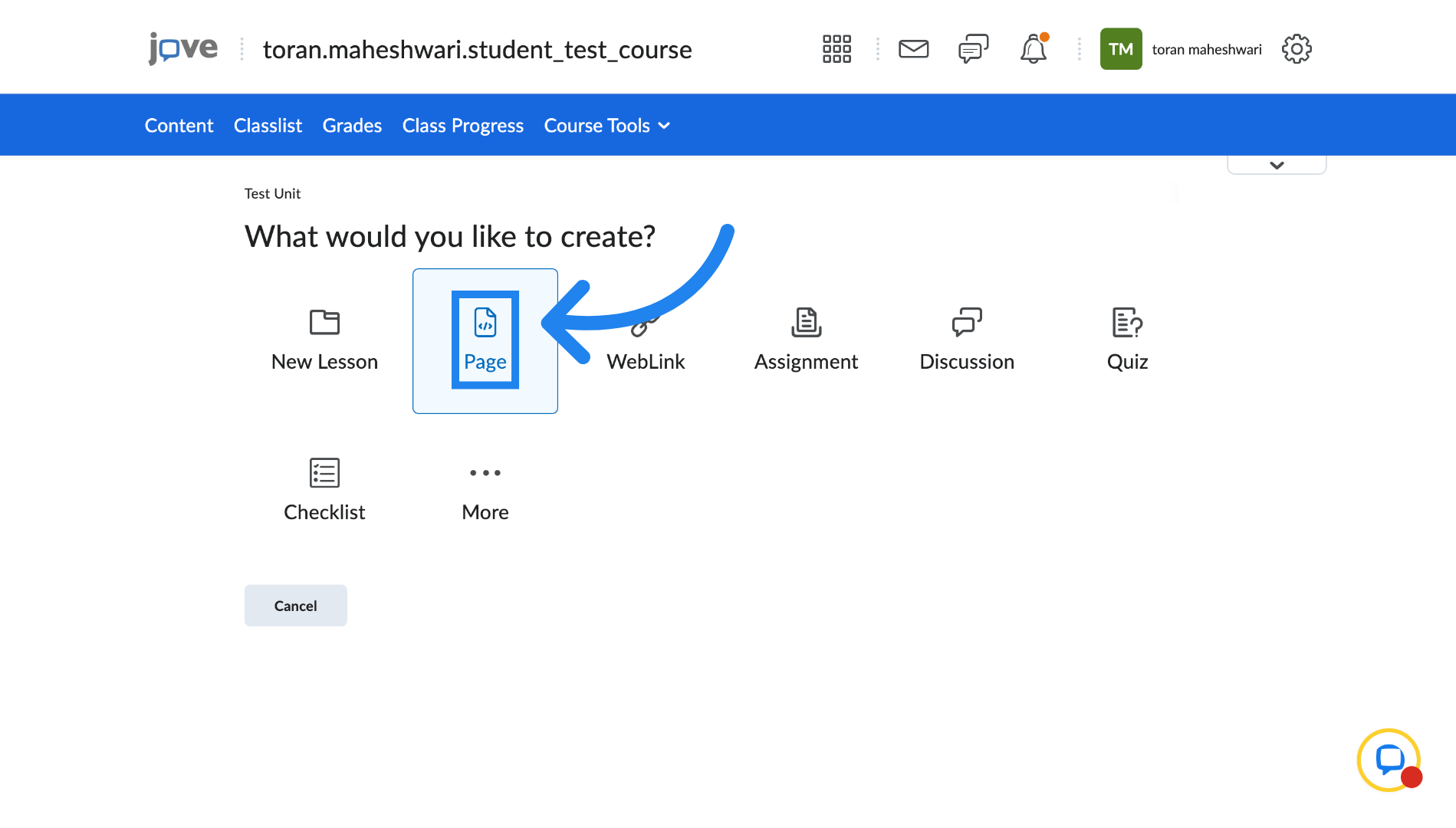
6. Select New Page
Click New Page to create a new content page.
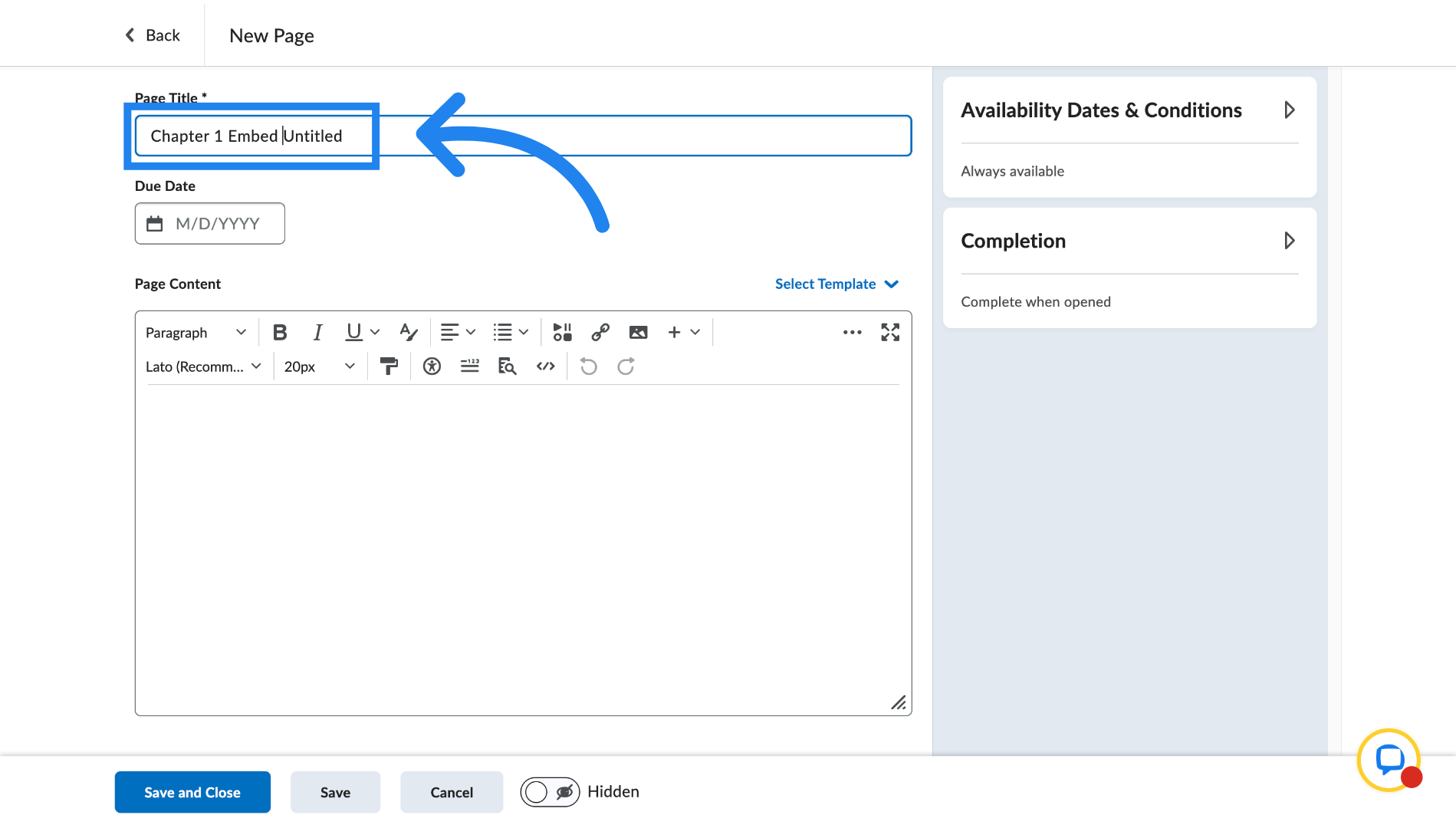
7. Enter Page Title
Fill in the Page title
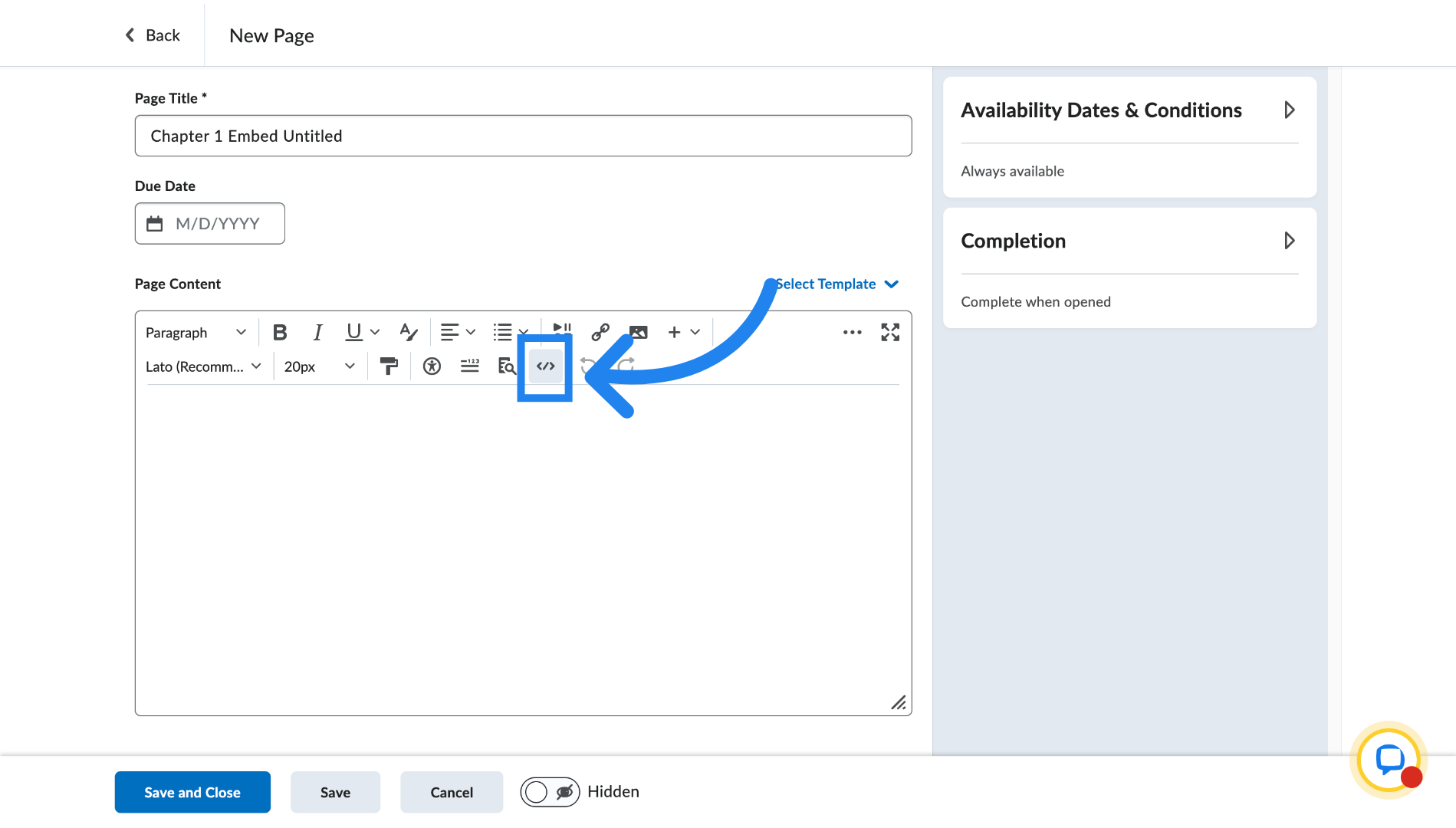
8. Insert Embed code
Click on this button to put in your embed code
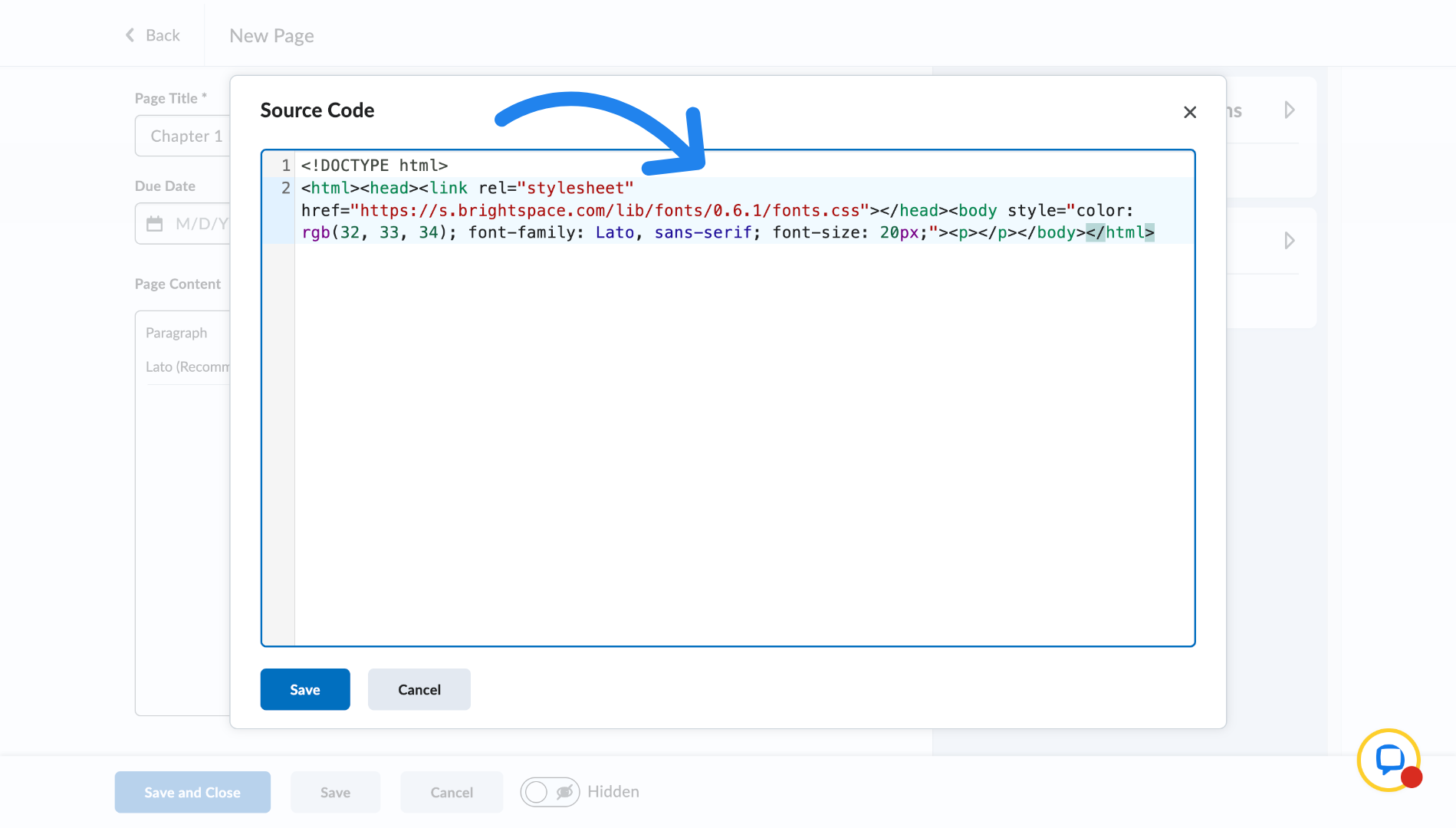
9. Paste embed code
Paste your embed code here.
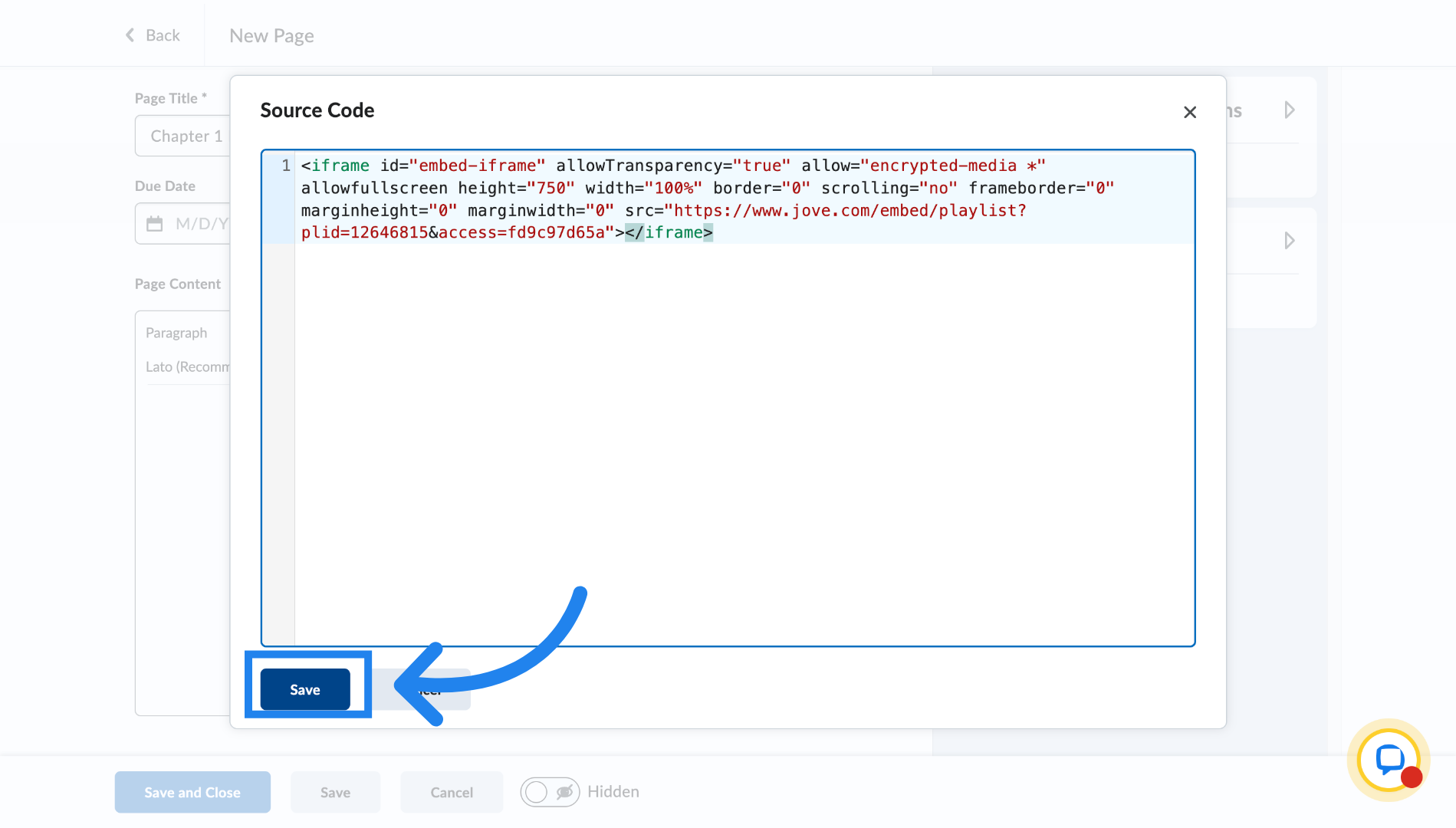
10. Save embed code
Click on save
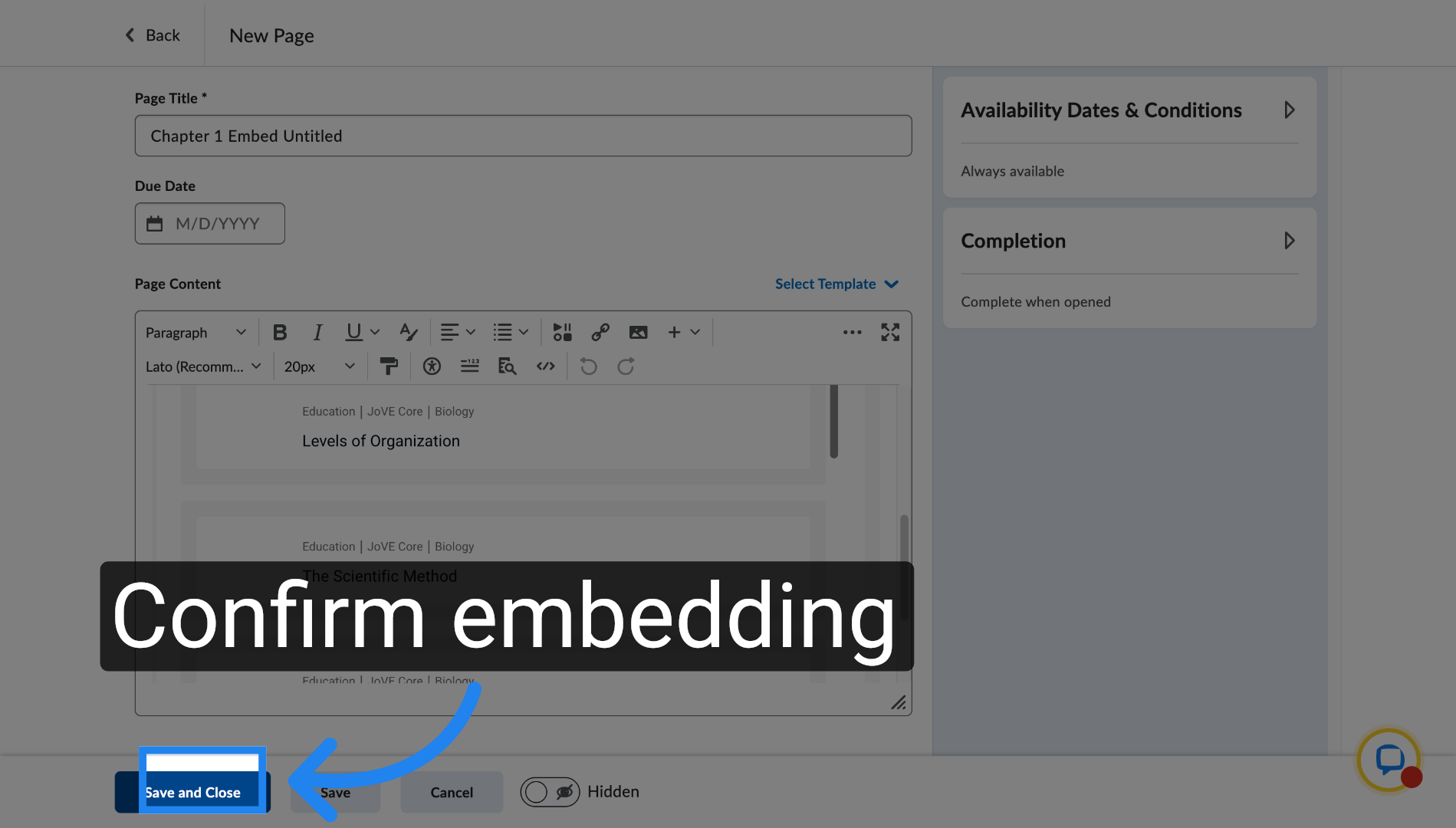
11. Save page
Click on save and close and you have successfully embedded the chapter into your course
Related to